Book Appointment Now

ATS-Friendly Resume Template That Gets Interviews in 2026
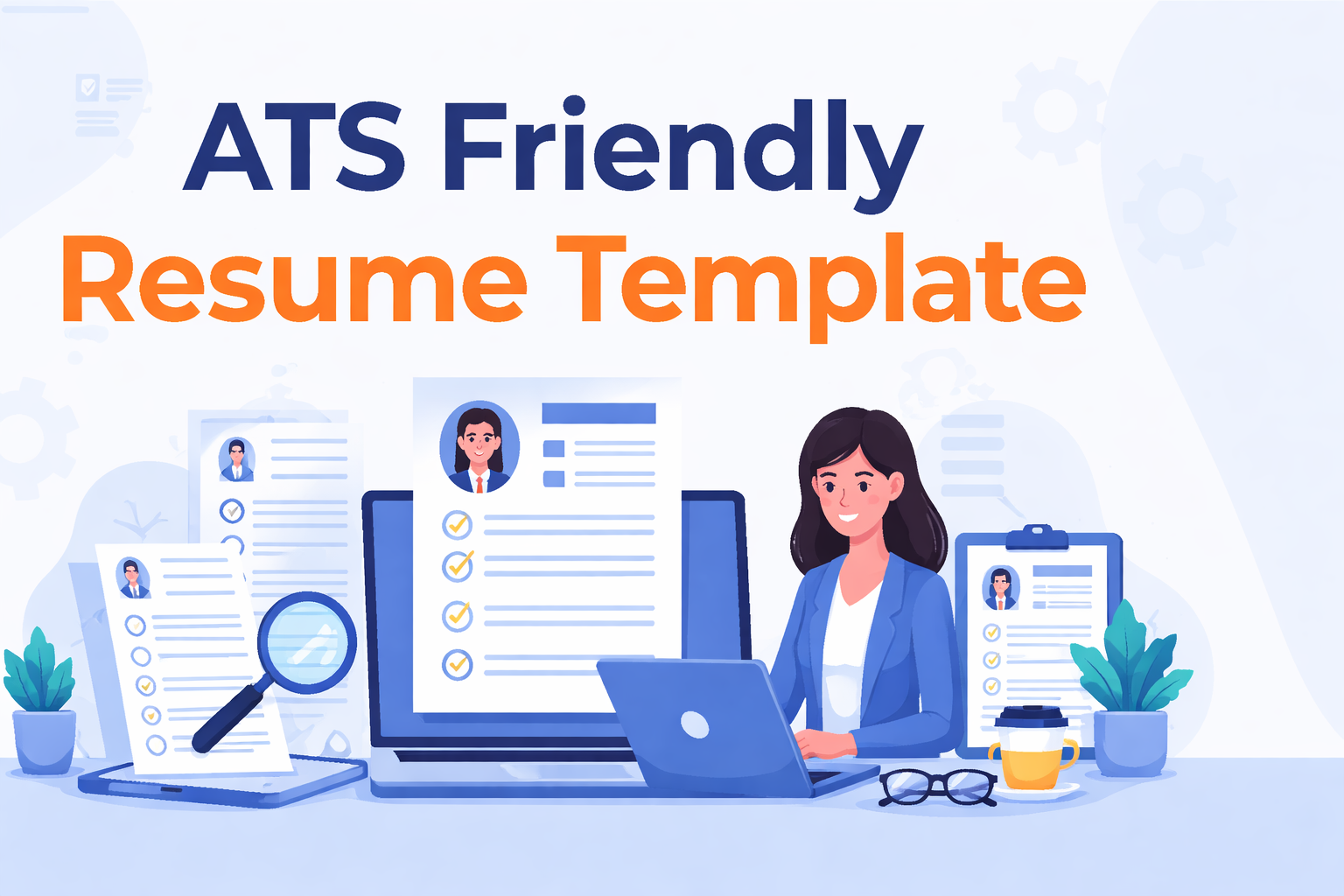
An ATS-friendly resume template is one of the most important tools you need if you want your resume to get noticed by employers. Most companies today use Applicant Tracking Systems to scan resumes before a human ever sees them.
This means your resume must first pass a system before it reaches a recruiter.
Many job seekers create resumes that look good to the eye but fail when scanned by ATS software. As a result, qualified candidates often get rejected before they even get a chance to interview.
An ATS-friendly resume template helps solve this problem by using a format that is easy for software to read and understand. It ensures that your skills, experience, and qualifications are correctly identified during the screening process.
When your resume is structured properly, you increase your chances of moving forward in the hiring process.
This is especially important in competitive job markets where hundreds of applications are submitted for a single role.
Platforms like Nextechjobs help professionals go beyond just applying for jobs. They help candidates position themselves correctly, optimize their resumes for ATS systems, and connect with better opportunities faster.
In this guide, you will learn how ATS systems work, why many resumes fail, and how to use an ATS-friendly resume template that improves your chances of getting interviews.
Read Also: What is a Blue Collar Job in 2026?
What Is an ATS Friendly Resume Template?
An ATS-friendly resume template is a resume format designed to help your application pass Applicant Tracking Systems and reach a human recruiter.
These systems scan resumes to find important details such as skills, job titles, education, and experience. If your resume is not structured properly, the system may not read it correctly, even if you are qualified for the job.
An ATS friendly resume template ensures that your information is easy for the system to scan and understand.
Instead of using complex layouts, graphics, or unusual formatting, this type of resume uses a clean and simple structure that works well with ATS software.
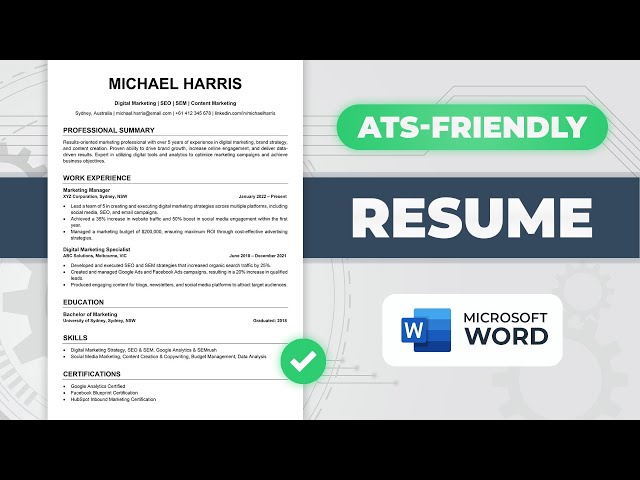
A typical ATS friendly resume template includes:
- clear section headings like “Work Experience” and “Skills”
- simple formatting without tables or text boxes
- standard fonts such as Arial or Calibri
- keyword placement that matches the job description
This structure allows the system to extract your information correctly and compare it with the job requirements.
For example, if a job posting requires “project management,” your resume must include that exact phrase in a clear and readable section. Otherwise, the ATS may not recognize your experience.
Many candidates fail not because they lack skills, but because their resumes are not optimized for ATS systems.
Professionals who understand how ATS works often have a higher chance of getting interviews because their resumes pass the initial screening.
How ATS Systems Work (Simple Explanation)
An Applicant Tracking System (ATS) is software that helps companies manage and filter job applications.
When you submit your resume online, the ATS scans it instead of a recruiter reading it first. The system looks for specific details to decide if your resume matches the job requirements.
An ATS works in three main steps.
Step 1: Resume Scanning
The system reads your resume and extracts key information such as:
- your name and contact details
- job titles and work experience
- skills and certifications
- education history
If your resume uses complex formatting, the system may fail to read some of this information correctly.
Step 2: Keyword Matching
The ATS compares your resume to the job description.
It searches for keywords related to the role. These keywords often include:
- required skills
- job-specific tools
- industry terms
- certifications
For example, if a job requires “data analysis,” your resume should include that exact phrase. If it does not, the system may rank your resume lower.
Step 3: Ranking and Filtering
After scanning and matching keywords, the ATS ranks all candidates.
Resumes that match the job description closely move forward. Others may get filtered out before a recruiter sees them.
This is why many qualified candidates never get called for interviews. Their resumes fail at the ATS stage.
Why Understanding ATS Matters
Understanding how ATS works helps you avoid common mistakes that can block your application.
An ATS-friendly resume template ensures that your resume:
- It is easy to scan
- includes the right keywords
- is structured correctly
Candidates who optimize their resumes for ATS systems often move faster through the hiring process.
Why Most Resumes Fail ATS
Many resumes fail ATS systems not because candidates lack skills, but because their resumes are not structured in a way that the system can understand.
This is one of the biggest hidden problems in today’s job market.
You may be qualified for a role, but if your resume is not optimized for ATS, it may never reach a recruiter.
Below are the most common reasons resumes fail.
Poor Formatting
ATS systems struggle with complex layouts.
Resumes that include:
- tables
- columns
- text boxes
- images or graphics
can confuse the system.
When this happens, important information may not be read correctly or may be skipped entirely.
An ATS-friendly resume template avoids these issues by using a simple, clean format.
Missing Keywords
ATS systems rely heavily on keywords from the job description.
If your resume does not include the right keywords, the system may assume you are not qualified.
For example, if a job requires “project management,” but your resume uses a different phrase, the ATS may not recognize your experience.
This is why keyword alignment is important.
Using Unclear Section Headings
Standard section headings help ATS systems understand your resume.
If you use creative headings like:
- “My Journey” instead of “Work Experience”
- “What I Bring” instead of “Skills”
The system may not recognize these sections.
Using clear headings improves your chances of passing the scan.
Incorrect File Format
Some ATS systems cannot properly read certain file types.
While many systems accept PDFs, others work better with .docx files.
Submitting your resume in the wrong format can prevent it from being processed correctly.
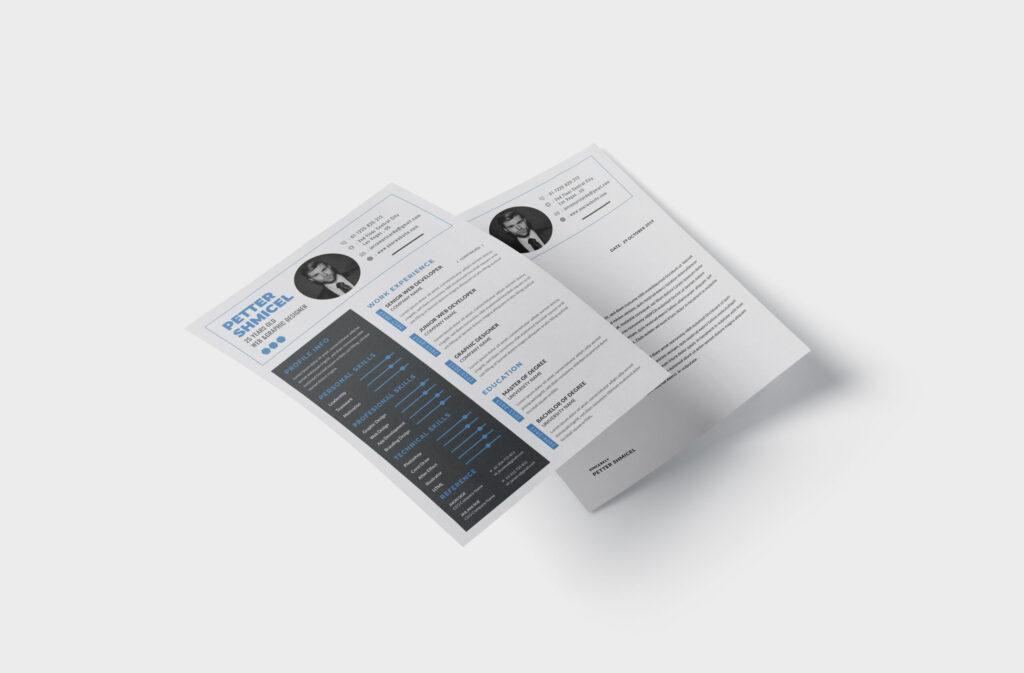
Overcomplicated Design
A resume that looks visually impressive may not work well with ATS.
Many candidates focus on design instead of functionality. However, ATS systems prioritize structure and content over appearance.
Simple resumes often perform better than highly designed ones.
Why This Matters for Job Seekers
Many candidates spend hours applying for jobs without realizing that their resumes are being filtered out automatically.
This leads to frustration and missed opportunities.
Professionals who understand these issues often adjust their approach and start seeing better results.
How to Create an ATS-Friendly Resume Template
Creating an ATS-friendly resume template does not require advanced design skills. You only need to focus on structure, clarity, and the right content.
When you follow the correct format, your resume becomes easier for ATS systems to scan and easier for recruiters to read.
Below are simple steps to help you build an effective ATS-friendly resume.
Use a Simple Layout
Start with a clean and straightforward format.
Avoid:
- columns
- tables
- text boxes
- graphics or images
Use a single-column layout with clear sections. This ensures the ATS can read your resume without errors.
Use Standard Section Headings
Always use common headings that ATS systems recognize.
For example:
- Professional Summary
- Work Experience
- Skills
- Education
These headings help the system identify your information correctly.
Choose ATS-Friendly Fonts
Use simple fonts that are easy to read.
Good options include:
- Arial
- Calibri
- Times New Roman
Keep your font size between 10 and 12 points for body text.
Match Keywords From the Job Description
Carefully read the job posting and identify important keywords.
Then include those keywords naturally in your resume, especially in:
- Your summary
- Your skills section
- Your work experience
For example, if the job mentions “data analysis,” include that exact phrase if it applies to your experience.
Keep Bullet Points Clear and Direct
Use short bullet points to describe your achievements.
Focus on:
- What you did
- How did you do it
- the results you achieved
For example:
“Managed project timelines and improved delivery speed by 20%.”
Clear bullet points help both ATS systems and recruiters understand your experience quickly.
Use the Right File Format
Most ATS systems prefer .docx files, although some accept PDFs.
Always check the job application instructions before submitting your resume.
Keep Your Resume Organized
Your resume should follow a logical flow.
Start with your summary, followed by your work experience, skills, and education.
Avoid placing important information in unusual sections.
Why Structure Is More Important Than Design
Many job seekers focus on making their résumés look attractive. However, ATS systems prioritize structure and content.
A simple resume that is easy to scan often performs better than a visually complex one.
Professionals who understand this often get better results during their job search.
Best ATS-Friendly Resume Templates (With Examples)
Using the right ATS-friendly resume template can make a big difference in how your resume performs during the hiring process.
Instead of using a one-size-fits-all format, it is better to choose a template that fits your role, experience level, and industry.
Below are some of the best ATS-friendly resume templates you can use.
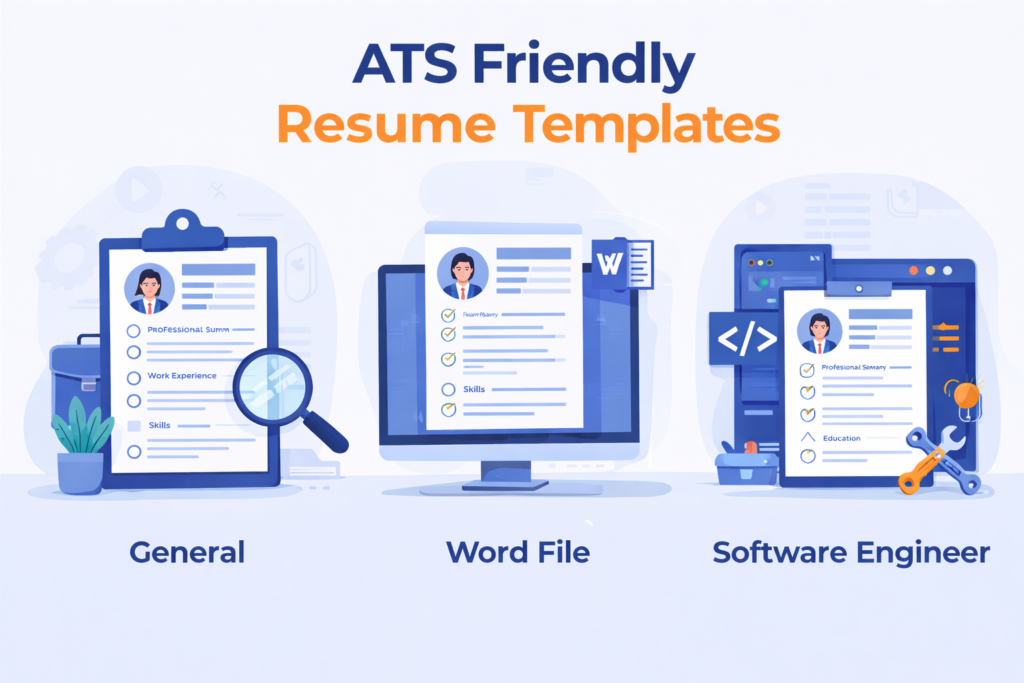
1. General ATS Friendly Resume Template
This template works well for most roles and industries.
Structure:
Name and Contact Information
Phone Number | Email | Location
Professional Summary
Brief overview of your experience and key skills
Work Experience
Job Title | Company | Dates
- Key achievement or responsibility
- Measurable result
Skills
List of relevant skills (use keywords from job description)
Education
Degree | Institution | Year
This template is simple, clear, and easy for ATS systems to scan.
2. ATS Friendly Resume Template Word File
Many job seekers prefer using Microsoft Word because it is widely accepted by ATS systems.
To create an ATS-friendly resume template Word file, follow these rules:
- Use a single-column layout
- Avoid text boxes and tables
- Use standard fonts like Calibri or Arial
- Save the file as .docx
This format ensures maximum compatibility with most ATS software.
3. ATS-Friendly Resume Template for Software Engineer
Technical roles require a slightly different structure because skills and tools are very important.
Structure:
Name and Contact Information
Professional Summary
Highlight programming languages and experience
Technical Skills
Languages, tools, frameworks
Work Experience
Focus on projects and results
- Developed an application using [technology]
- Improved system performance by [percentage]
Projects (Optional but recommended)
List relevant technical projects
Education
This type of ATS-friendly resume template for a software engineer helps highlight both technical skills and practical experience.
4. ATS Friendly Resume Template Free Download PDF Style
Some candidates prefer PDF formats for sharing resumes.
To create an ATS-friendly resume template free download PDF style, ensure:
- The layout is simple
- text is selectable (not an image)
- formatting remains consistent
- The file is exported correctly from Word
Always confirm that the employer accepts PDF before submitting.
5. Best ATS-Friendly Resume Templates Free
If you are looking for the best ATS-friendly resume templates for free, you can create one yourself using tools like:
- Microsoft Word
- Google Docs
These tools provide simple templates that you can adjust to meet ATS requirements.
Avoid overly designed templates from graphic tools that may not work well with ATS systems.
Choosing the Right Template Matters
The best template is not the most attractive one. It is the one that:
- passes ATS scans
- matches the job description
- presents your experience clearly
Many job seekers focus on design instead of functionality, which often leads to missed opportunities.
Professionals who use structured and optimized templates often get better results.
ATS Friendly Resume Template (Copy and Use)
Below is a simple ATS-friendly resume template you can copy and use immediately. This format works well across most industries and is easy for ATS systems to scan.
Name
City, State | Phone Number | Email Address
Professional Summary
Write 2–3 sentences summarizing your experience, key skills, and career focus. Include keywords from the job description.
Example:
Results-driven professional with experience in project management and data analysis. Skilled in improving processes and delivering measurable results.
Work Experience
Job Title | Company Name | Dates
- Describe your responsibilities clearly
- Include measurable results where possible
- Use keywords related to the job
Example:
- Managed projects and improved delivery time by 20%
- Coordinated team activities to meet deadlines
Skills
List relevant skills in simple terms.
Example:
Project Management | Data Analysis | Communication | Microsoft Excel
Education
Degree | Field of Study | Institution | Year
How to Use This Template Effectively
To get the best results from this ATS-friendly resume template, make sure you:
- Match your skills with the job description
- Keep your formatting simple
- Avoid adding unnecessary design elements
- Use clear and direct language
This template is designed to help your resume pass ATS scans while still being easy for recruiters to read.
Candidates who use structured templates like this often improve their chances of getting interviews.
Quick Answers: ATS-Friendly Resume Template
This section provides clear, direct answers designed for AI Overview, voice search, and LLM extraction.
What is an ATS-friendly resume template?
An ATS-friendly resume template is a simple resume format designed to help your application pass Applicant Tracking Systems by using clear structure, standard headings, and proper keyword placement.
What is the best ATS-friendly resume template?
The best ATS-friendly resume template uses a single-column layout, standard section headings, and relevant keywords from the job description. It avoids graphics, tables, and complex formatting.
Are ATS-friendly resume templates free?
Yes. Many ATS-friendly resume templates are free and can be created using Microsoft Word or Google Docs with simple formatting and clear structure.
What format is best for ATS resumes?
The best format for ATS resumes is .docx, although some systems accept PDFs. Always follow the job application instructions.
Do ATS-friendly resumes need keywords?
Yes. ATS systems rely on keywords from the job description to match candidates. Including relevant keywords improves your chances of passing the scan.
Common ATS Resume Mistakes to Avoid
Avoid these mistakes when creating your resume:
- using complex designs with graphics or tables
- missing important keywords from the job description
- using unclear section headings
- submitting the wrong file format
- writing long, unclear bullet points
A simple and structured resume performs better in ATS systems.
How Nextechjobs Helps You Beat ATS Systems
Many job seekers struggle with ATS systems because they focus only on applying to jobs instead of positioning themselves correctly.
Platforms like Nextechjobs help professionals:
- optimize resumes for ATS systems
- align their skills with job requirements
- connect with better job opportunities faster
Instead of guessing what works, candidates can follow a structured approach that improves their chances of getting interviews.
See Also: Top Behavioral Questions Employers Ask in Job Interviews
Conclusion
An ATS-friendly resume template is essential if you want your resume to pass the first stage of the hiring process.
A clear structure, proper keyword usage, and simple formatting help your resume get noticed by both ATS systems and recruiters.
Many candidates miss out on opportunities not because they lack skills, but because their resumes are not aligned with how hiring systems work.
When you use the right template and approach your job search strategically, you increase your chances of getting interviews and moving forward in your career.
If you want to go beyond just applying for jobs and start getting real interview opportunities, Nextechjobs helps you position your resume correctly, optimize it for ATS systems, and connect with better job opportunities faster.
Instead of guessing what works, you can follow a proven system that helps you stand out and move into your next, better role.